
Cozyla Calendar review
The category leader, built for households
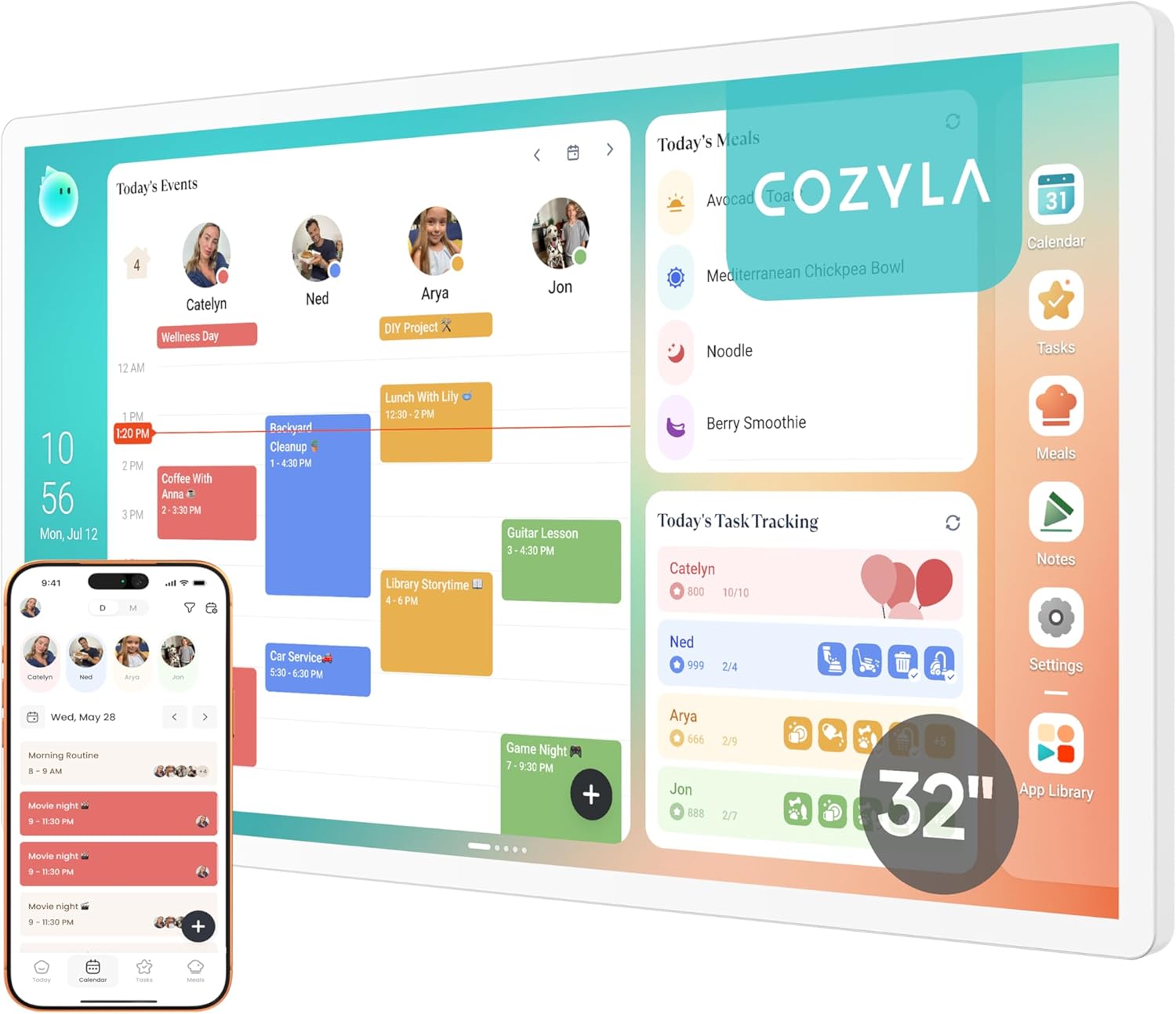
After six weeks of Cozyla on our kitchen wall, it stopped feeling like a gadget. The matte panel disappears the way a good print does, the family started checking it before asking what was happening that day, and we never once thought about a subscription page.
Setting it up
Unboxing is refreshingly low-drama. Cozyla ships with the display, a slim power cable, and a wall-mount kit that includes the screws and a paper template, so you're not hunting through a drawer for hardware. Mounting the 32" model on drywall took us about 20 minutes from drilling the first hole to powering it on — most of that was double-checking the level rather than wrestling the bracket.
The first-run setup runs through the Cozyla app on your phone. You scan a code on the screen, connect it to Wi-Fi, and then add accounts one by one — we linked Google Calendar, Apple iCloud, Outlook and a shared Cozi calendar in a single sitting. Each calendar gets its own color, and events started populating within seconds. There's no extra hub, no bridge service, and no separate login to manage for each family member.
Living with the 32-inch matte display
The matte anti-glare finish is the feature that quietly does the most work. Our kitchen gets harsh afternoon light from two windows, and where a glossy tablet would turn into a mirror, the Cozyla just stays readable. From the other side of the room you can still pick out who has what on — the typography is big enough that you don't have to walk over and squint.
When nothing's happening, the screen drifts into photo-frame mode and pulls from an album you nominate in the app. It sounds like a small thing, but it means the device earns its wall space even on a quiet Sunday. The transition between calendar and photos is gentle rather than jarring, and you can dim the brightness on a schedule so it doesn't glow at you overnight.
Family features that actually get used
Color-coded family members sounds like marketing copy until you live with it. Within a week the kids were checking 'their' color to see what was on after school, and we stopped having the same five-times-a-day conversation about pickups. Chore charts live in the same app, and you can rotate them weekly or assign them ad-hoc.
Shared shopping lists, sticky notes and a meal area round it out. None of it feels over-engineered — it's the same handful of jobs a family fridge whiteboard used to do, just synced to everyone's phone so nothing falls off the bottom when someone wipes the dry-erase clean.
No subscription, no friction
This is the part that quietly sets Cozyla apart. Every calendar sync, every family member, the photo frame, the chore charts, the shopping lists — all included in the box price. There is no Plus tier, no per-month upsell that unlocks the screensaver, and no surprise paywall in month three. After six weeks the only ongoing cost has been a few cents of electricity.
Stacked against the $79/year Skylight Plus subscription, that gap closes the upfront price difference inside two years and then keeps paying you back — see the full Cozyla vs Skylight breakdown for the long-term cost picture. If you've been burned before by a smart-home device that turned into a recurring bill, this is the easiest one on the list to recommend without an asterisk.
What we liked
- Matte anti-glare display (up to 32") made for wall mounting
- Syncs Google, Apple, Outlook & Cozi in one view
- Color-coded family members + chore charts
- Photo frame mode when calendar is idle
- No subscription required
Where it falls short
- Higher upfront price
- Wall install takes ~20 minutes
Busy families juggling multiple schedules, school runs, and shared chores who want a clean, wall-mounted view of everyone's week without paying ongoing subscription fees.
Our verdict
If you want a real wall-mounted family calendar — large, matte, multi-account, and ad-free — Cozyla is the one to buy. The upfront price is the highest of the three, but it's the only device on this list that doesn't ask for more money later.