
Skylight Calendar review
Polished touchscreen, subscription strings attached
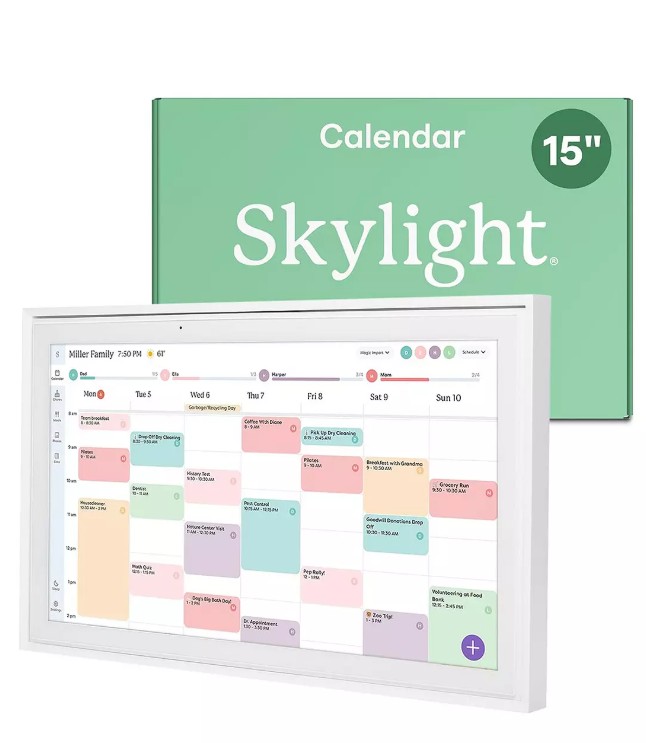
Skylight gets a lot right at first touch — the UI is genuinely nice and sync with Google, Apple, Outlook, and Cozi works out of the box. The problem starts when you realize the features Skylight markets hardest live behind a yearly subscription.
Setting it up
Setup is one of Skylight's strongest moments. You plug the frame in, follow the on-screen prompts to join Wi-Fi, and pair it with the Skylight app on your phone. Inside the app you connect Google, Apple iCloud, Outlook and Cozi calendars in a single flow, and events populate the wall display almost immediately. From box to first synced week takes under ten minutes if your calendar logins are already to hand.
Each family member can connect their own accounts, and color assignment is handled in the app rather than per-event, which keeps the screen tidy. The hardware itself sits on a counter stand out of the box; wall mounting is available, but it isn't the default setup the way it is on Cozyla.
The touchscreen experience
The touchscreen UI is genuinely well done — easily the most polished of the three on this list. Tapping into a day expands it, chore tracking has satisfying animations, and the typography is clear and modern. If you walk past it ten times a day and occasionally tap to add a thing, it feels right.
Where it struggles is glare. The 10" and 15" models use glossy panels, and in a sunny kitchen they pick up reflections of windows and downlights. The 27" Max introduces a matte option, but the smaller sizes don't. Mounted high on a wall, the touch-first design also feels slightly mismatched — you end up reaching to interact with something that's really designed to live at counter height.
What Skylight Plus gates
This is where buying decisions tend to wobble. The core shared calendar works without a subscription, but several of the features Skylight markets most heavily — meal planning, the Magic Import that turns a screenshot into a calendar event, Chore Rewards, and the photo and video screensaver that turns the device into a frame when it's idle — all sit behind Skylight Plus, currently $79 per year.
If you only want a shared calendar on the wall, you can ignore Plus and the device still works. But the meal planner and the photo screensaver are exactly the things that make a wall display feel alive between events, and pricing them as an annual add-on changes the long-term cost picture significantly compared with a one-time-purchase competitor.
Wall vs counter
After a few weeks it became clear Skylight is at its best on a counter, not a wall. The touch-first UI invites you to lean in and tap, the glossy screen behaves better when it's not catching ceiling lights, and the smaller sizes feel proportional next to a coffee machine in a way they don't when mounted at eye level next to a doorway.
If your dream is a big, glanceable family schedule visible from across the room, this isn't quite that device — the 27" Max gets closer, but at that point the price gap to a dedicated wall calendar like Cozyla narrows considerably. The full head-to-head comparison walks through both side by side.
What we liked
- Polished touchscreen UI with chore tracking
- Available in 10", 15", and 27" sizes
- Syncs Google, Apple, Outlook, and Cozi out of the box
Where it falls short
- Skylight Plus subscription ($79/yr) gates meal planning, Magic Import, Chore Rewards, and the photo/video screensaver
- Glossy screens on the smaller models reflect kitchen lights
- No matte anti-glare option below the 27" Max
- Touch-first UI is less wall-friendly from across the room
Families who like a polished touchscreen and don't mind paying yearly for the smartest features like meal planning and reward charts.
Our verdict
A good buy if you want a polished touchscreen and don't mind paying $79/year for the smartest features. If you want to own everything you paid for on day one, Cozyla is the better choice.