FTC disclosure: This page contains affiliate links. As an Amazon Associate, I earn from qualifying purchases at no cost to you. Affiliate links never influence our ratings or recommendations.

Review · Updated June 2026

The best digital wall calendar for your family in 2026.

I spent six weeks living with Cozyla, the Amazon Echo Show 15, and Skylight Calendar so you don't have to. Here's the honest, side-by-side breakdown — no fluff, no jargon, just what actually works on the wall.

All information here is based on my own experience as a home-tech enthusiast. I'm not a professional lab. Please verify the latest specifications and pricing on the listings before you buy, as specs may change. If I've made any errors, they're never intentional.

Jump to the winner
3 calendars tested
42 days · 3 family members
Top picks

Three calendars, three philosophies.

Editor's pick
01

Cozyla Calendar

The category leader, built for households
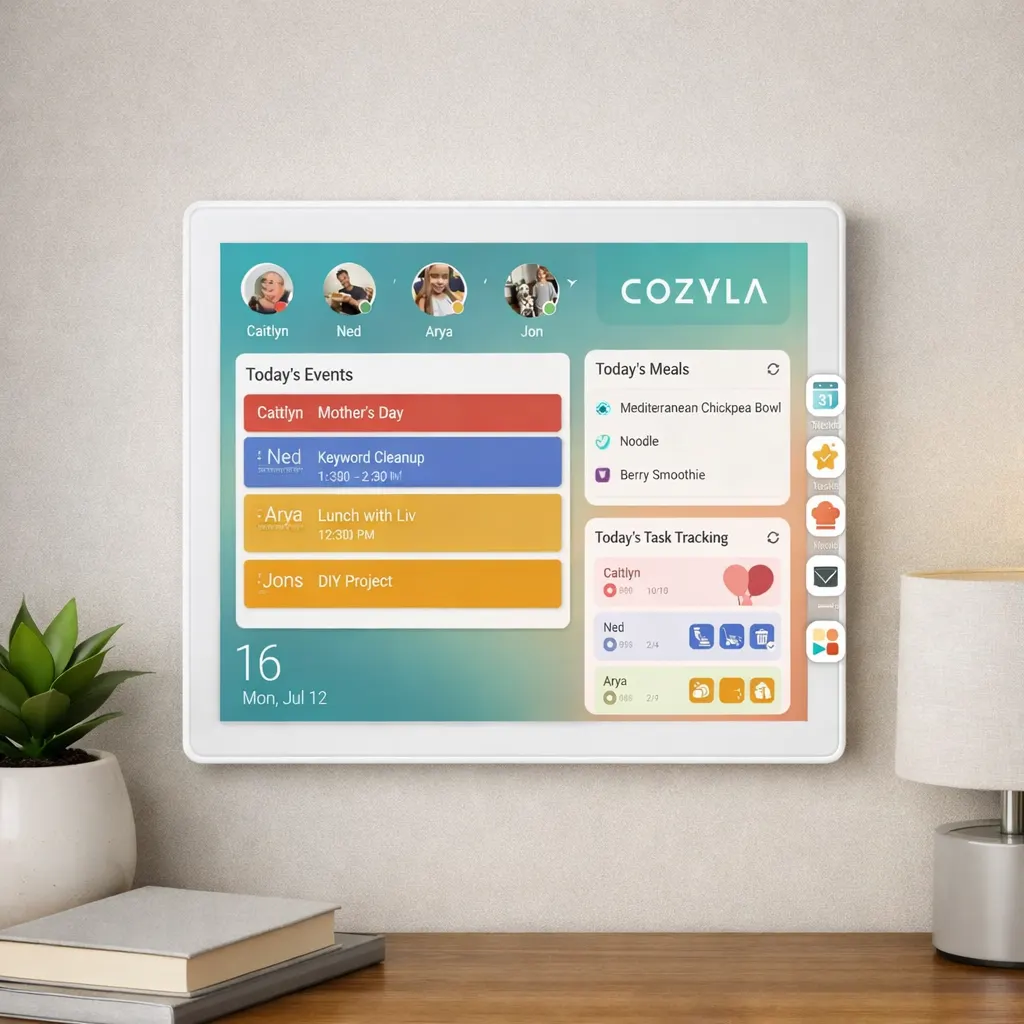
Cozyla matte digital wall calendar in a family kitchen
Rating
4.8
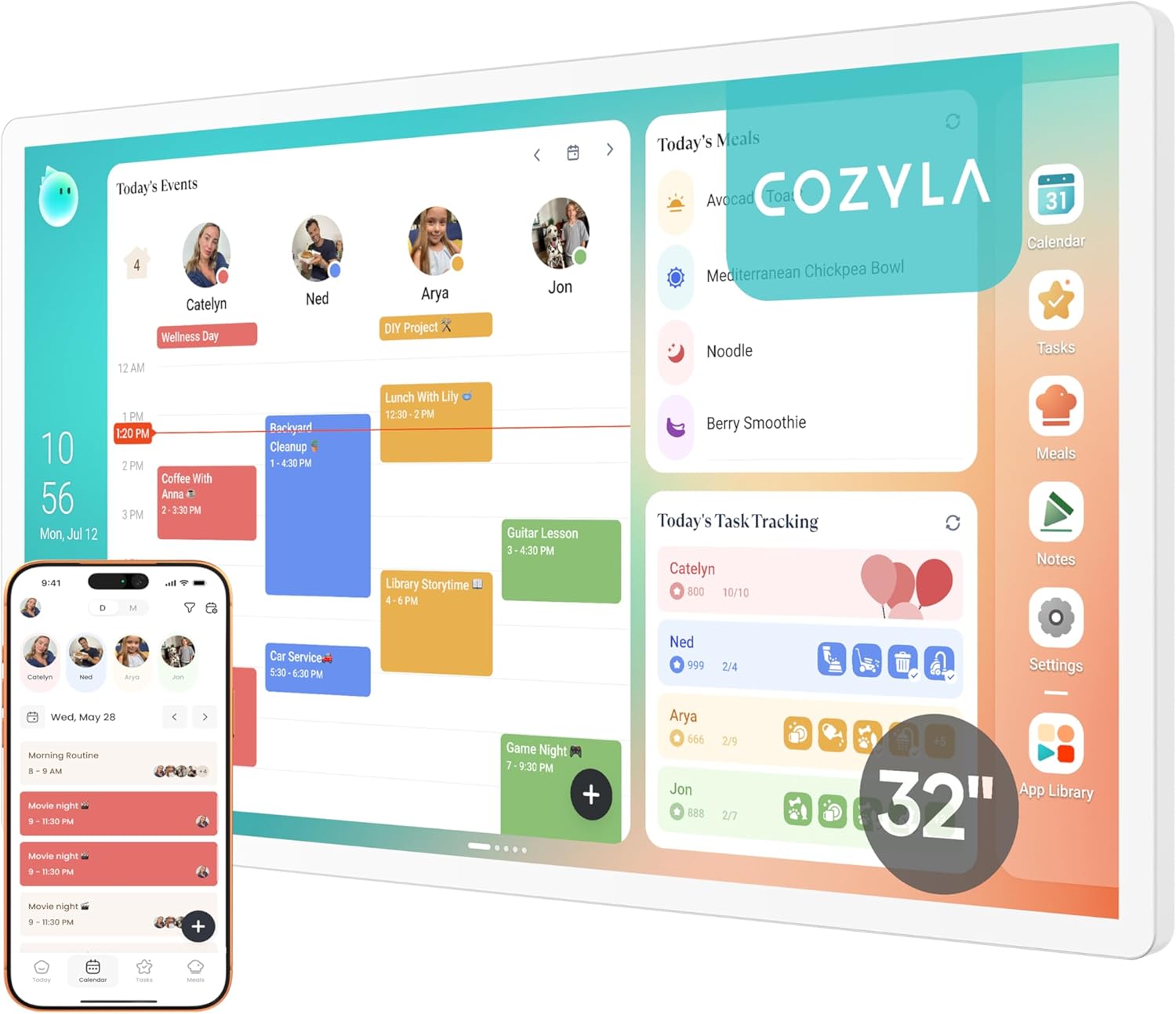
  • Matte anti-glare display (up to 32") made for wall mounting
  • Syncs Google, Apple, Outlook & Cozi in one view
  • Color-coded family members + chore charts
  • Photo frame mode when calendar is idle
  • No subscription required
  • Higher upfront price
  • Wall install takes ~20 minutes
Best for
Busy families juggling multiple schedules, school runs, and shared chores who want a clean, wall-mounted view of everyone's week without paying ongoing subscription fees.
Check Current Price
Affiliate link · Amazon AssociateRead full review →
02

Amazon Echo Show

Smart display that moonlights as a calendar

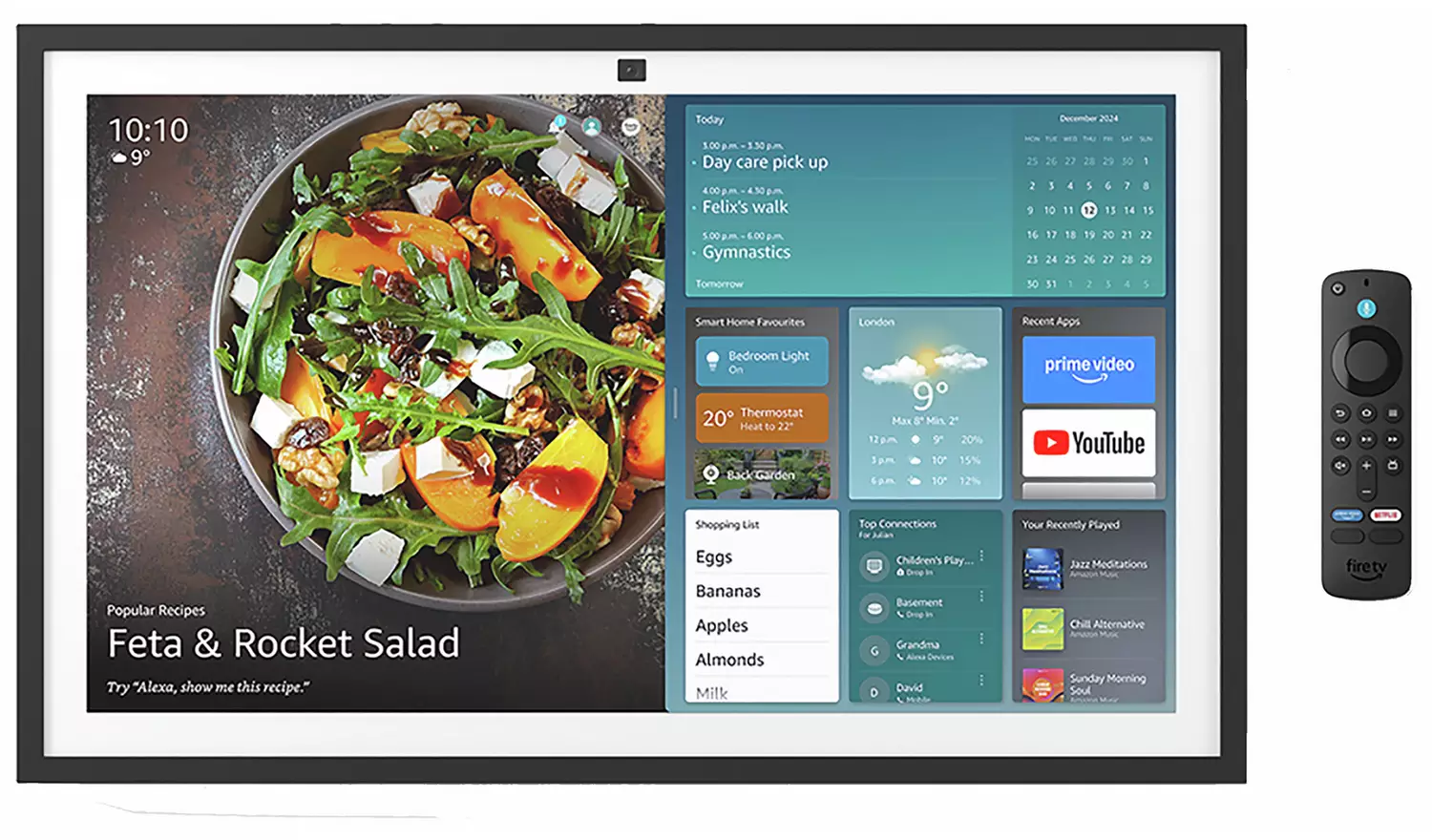
Amazon Echo Show 15 mounted on a kitchen wall
Rating
4.2
  • Full Alexa voice control & smart-home hub
  • Cheaper than dedicated calendar displays
  • Built-in widgets for sticky notes & reminders
  • Calendar widget is small — not the main UI
  • Requires Amazon account + ads on lock screen
  • Limited multi-calendar sync (no native Apple Calendar)
Best for
Households already invested in the Alexa ecosystem who want a versatile smart display that doubles as a kitchen hub, video caller, and casual calendar viewer.
Check Current Price
Affiliate link · Amazon AssociateRead full review →
03

Skylight Calendar

Polished touchscreen, subscription strings attached

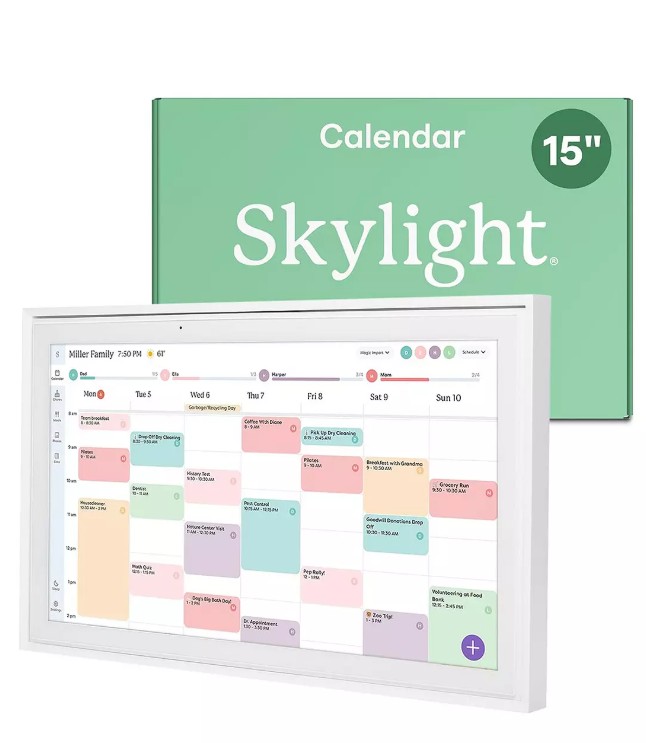
Skylight Calendar touchscreen showing a family schedule
Rating
3.8
  • Polished touchscreen UI with chore tracking
  • Available in 10", 15", and 27" sizes
  • Syncs Google, Apple, Outlook, and Cozi out of the box
  • Skylight Plus subscription ($79/yr) gates meal planning, Magic Import, Chore Rewards, and the photo/video screensaver
  • Glossy screens on the smaller models reflect kitchen lights
  • No matte anti-glare option below the 27" Max
  • Touch-first UI is less wall-friendly from across the room
Best for
Families who like a polished touchscreen and don't mind paying yearly for the smartest features like meal planning and reward charts.
Check Current Price
Affiliate link · Amazon AssociateRead full review →
Feature matrix

Where each calendar actually wins.

The marketing pages all look similar. Living with these devices is not. Here's how they stack up where it counts.

FeatureCozylaEcho Show 15Skylight
Display size
Up to 32" matte15.6" glossy10"–27"
Designed for wall mount
Partial
No subscription required
Multi-calendar sync (Google/Apple/Outlook)
Limited
Color-coded family members
Voice control
Photo frame mode
Plus only
Ad-free experience

Individual performance notes

On Cozyla

It actually feels like furniture.

The matte panel disappears into the wall the way a good print does. After a week, my kids started checking it before asking 'what are we doing today?' — which is the whole point. The lack of a subscription seals it.

Read full review →
On Echo Show 15

Great smart display, okay calendar.

If you already live in Alexa-land, it's a no-brainer add-on. But the calendar is one widget among many, and Apple Calendar support is awkward. Treat it as a smart hub that happens to show your week.

Read full review →
On Skylight

Polished, but the subscription bites.

Skylight's touchscreen UI is genuinely nice, and sync with Google, Apple, Outlook, and Cozi works out of the box. But the best stuff — meal planning, Magic Import, Chore Rewards, the photo screensaver — sits behind Skylight Plus at $79/year. Two years in, you've paid the Cozyla difference and still don't own those features.

Read full review →
FAQ

Questions families ask before buying.

The verdict

Get the Cozyla.

It's the only one I'd pay for again. The Echo Show stays in the kitchen as a smart display; Skylight is polished but rents you its best features. If you want one calendar your whole household actually uses, this is it.

See Cozyla pricing
Affiliate link · As an Amazon Associate I earn from qualifying purchases
Winner
Cozyla Calendar
4.8
Family fit
Exceptional
Setup time
~20 min
Subscription
None
Display quality
Matte, premium
Sync reliability
Rock solid
Value over 2 yrs
Best in class
Related reviews

Keep reading.

Read the full review
Digital Calendars

Cozyla Calendar review (2026)

Matte 32" wall display, Google/Apple/Outlook sync, no subscription. Pros, cons, and who it's for.

4.8
Jun 2026
Read the full review
Digital Calendars

Skylight Calendar review (2026)

Skylight's UI is polished and sync is broad — but the best features sit behind Skylight Plus.

3.8
Jun 2026
Read the full review
Smart Displays

Amazon Echo Show 15 review (2026)

Great kitchen hub, okay calendar. Where Echo Show 15 shines and where it falls short.

4.2
Jun 2026